Finish a showing.
Talk for 30 seconds. Done.
Showing Debrief turns a quick voice note into organized buyer feedback, a memory of what each client wants, a follow-up message ready to send, and reminders you confirm. No typing, no forms.
Download on the App StoreSee what 30 seconds turns into
An example debrief. The names and address are made up.
"Okay, so that was John and Lisa at 128 King Street. They both really liked the kitchen, said it felt open and bright. Lisa did think the primary bedroom was a bit small though. Budget's somewhere between seven eighty and eight fifty, they'd really prefer to stay under eight twenty if they can. They want to see a few more homes with a bigger primary bedroom, maybe this Saturday. Overall, I'd say they're interested, not ready to make an offer yet."
- Likes: kitchen — both, "open and bright"
- Concerns: primary bedroom size — Lisa
- Budget: $780K–$850K, prefer under $820K
- Intent: interested, not ready to offer
- Next step: find homes with a bigger primary bedroom — Saturday
Inside the app
Record, review, and keep a memory for each client.
Built for speed between showings
The time you spend after a showing should be seconds, not a page of notes you never go back to.
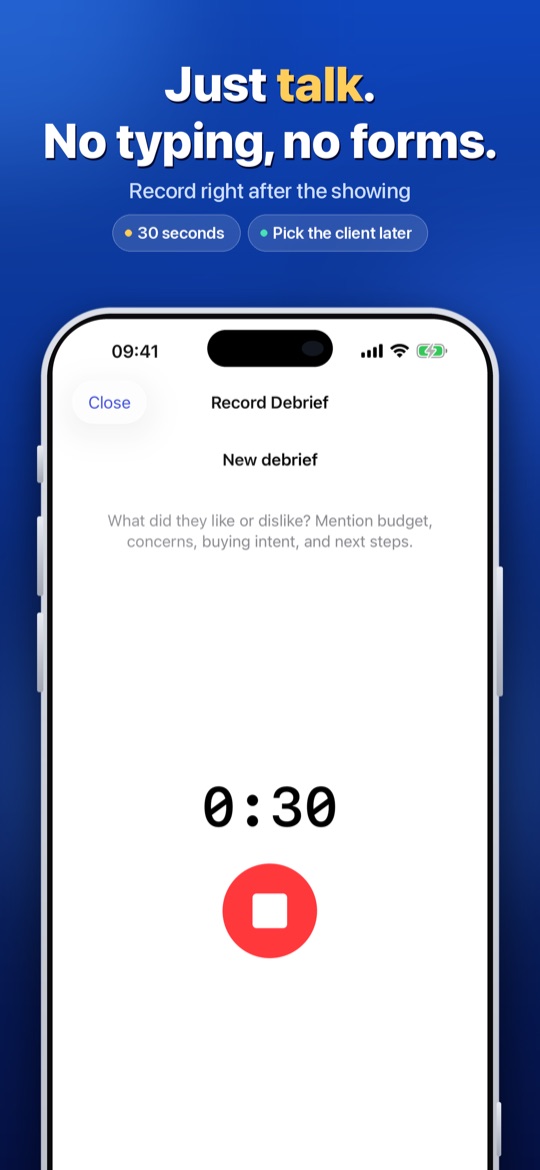
30-second voice debrief
Say what you noticed in the car. Likes, concerns, budget comments, what the buyer said about price and timing. It is organized for you.
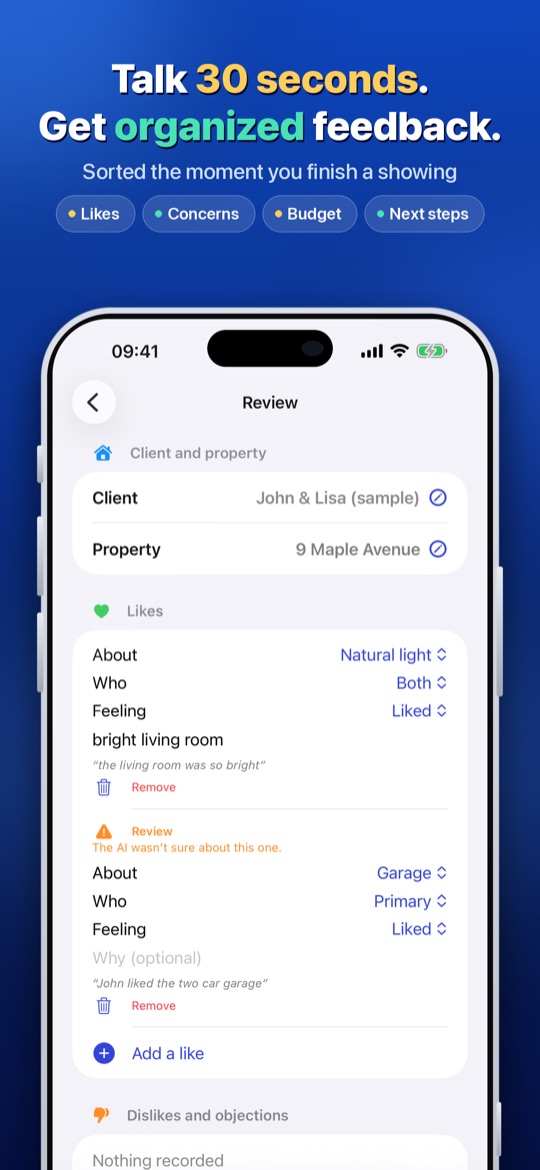
Review in seconds
Every item is one tap to edit, delete or add. Uncertain items are flagged. Nothing is saved to the client's profile until you confirm.
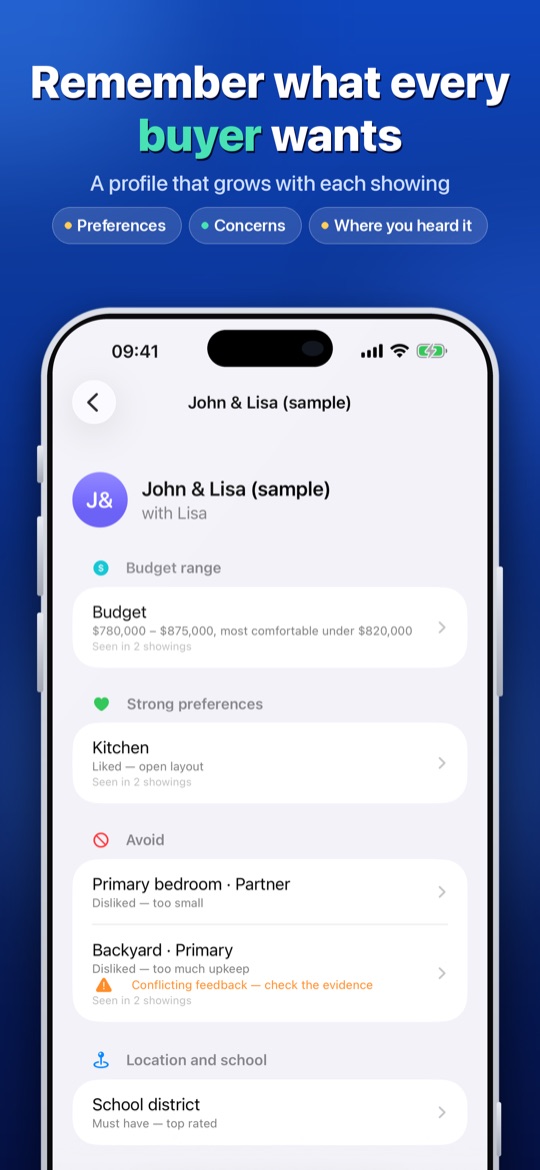
A memory for every client
Showing after showing, Showing Debrief builds what each buyer likes, worries about and needs, and shows where each point came from.
Follow-up drafts
A short message that mentions what the buyer actually cared about. Open it in Messages or Mail, edit it, and send it yourself. It never sends anything on its own.
Next steps you control
Suggested next actions become tasks only when you add them. See what is due today, this week and overdue, and get a reminder on your phone.
Private by design
Your clients, notes and history live on your phone. Audio is deleted from our server right after it is transcribed. No MLS or CRM connection needed.
How it works
Three steps, about a minute in total.
Record
Tap Record now right after the showing. Pick the client and address later if you are in a hurry.
Review
Check the organized feedback, fix anything, and tap Confirm. It is saved to that client's profile.
Follow up
Copy or send the drafted message, add the next steps you want, and move on to your next showing.
Guides for the debrief habit
Short, practical reads for agents who want the notes to be useful two months later.
Realtor showing notes checklist
What to capture after every showing, in the order that makes the debrief fastest, and how to turn it into a follow-up that gets a reply.
Showing feedback template
A copy-and-paste template with the fields that decide an offer: likes, concerns, price signals and next steps.
How to follow up after a showing
A four-part message structure, examples for different buyer reactions, and the mistakes that get replies ignored.
Make your next showing the first one you debrief
Talk for 30 seconds in the car, review in seconds, send a follow-up that mentions what the buyer cared about.
Download on the App StoreQuestions
Do I need to connect my MLS or CRM?
No. Showing Debrief works on its own and does not need an MLS or CRM connection. You choose what to copy into the tools you already use, so it can run alongside any CRM.
Does it send messages to my clients?
Never. It drafts a short follow-up that mentions what the buyer actually cared about. You edit it, then send it yourself from Messages or Mail.
Where is my data stored?
Your clients, notes and history live on your phone. A recording is sent for transcription and is deleted from our server right after it is transcribed.
How long does it take after a showing?
About 30 seconds of speaking. Showing Debrief organizes it into what the buyers like, what they care about, their hard requirements, their comments on budget, how strong their intent is, and what to do next. Each item can be edited, deleted or added, and uncertain items are flagged.
What if it gets something wrong?
Nothing is written to the client's profile until you confirm it. Items the model is unsure about are flagged so you know where to look before you tap Confirm.
What does it cost and what do I need?
Showing Debrief Pro is $4.99 per month or $39.99 per year, with a 7-day free trial. The free tier includes 5 showings and 3 AI follow-up drafts per month. You need an iPhone running iOS 17 or later.